If you’ve ever worked on a real-time strategy game, you’ve faced the “beehive problem.” You select a group of units, right-click a destination, and they all rush towards the same point, clumping up like angry bees. The units in the back crash into the ones in front, and they arrive in a disorganized blob. It works, but it lacks any sense of tactical precision.
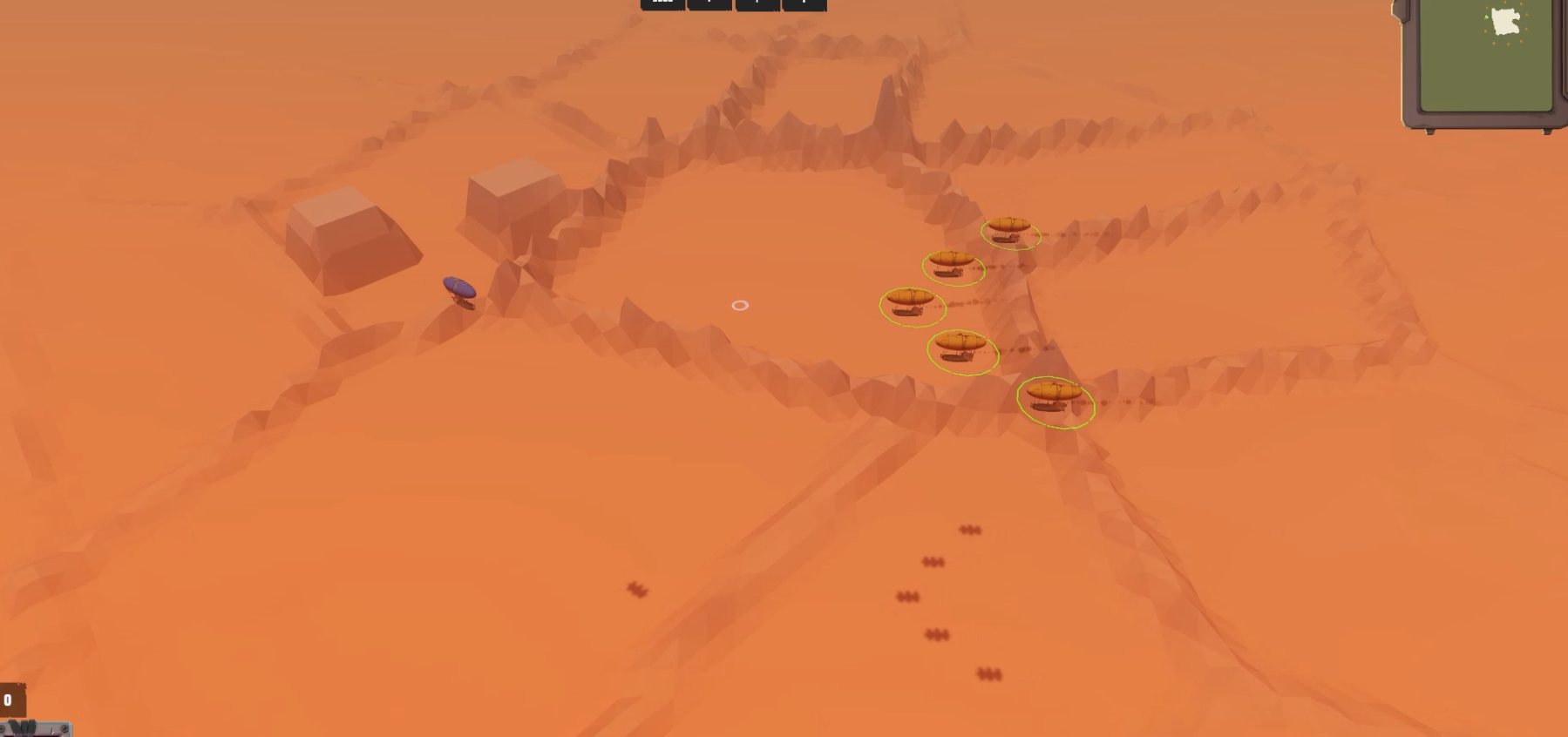
For my upcoming city-builder/RTS hybrid, Antara: Reclaim the Wastes, I needed something better. I wanted my airship fleets to move with purpose—to hold a line, a wedge, or a defensive square as they traveled. Today, I’m going to break do
The Core Philosophy: Arrive Together
Before
The fundamental principle is simple: To have units arrive at their formation positions simultaneously, they must all travel for the exact same amount of time.
This means the unit with the longest journey dictates the pace for everyone else. If the rearmost ship in a formation has to travel 100 meters, and a front-line ship only has to travel 60, the front-line ship must slow down so they both arrive at the same time.
Our system will achieve this in four steps:
- Define the Formation Shape: Store the formation positions in a data-only asset.
- Assign Slots: Give each unit a target position within that formation.
- Calculate Path Time: Find the unit with the longest path and calculate the time it will take to arrive.
- Coordinate Speed: Calculate the precise speed each individual unit needs to travel its own path within that same timeframe.
The Components of the System
Our system is broken into three key parts: a data container for the formation, a controller for individual units, and a central “brain” that coordinates the group.
1. The Blueprint: FormationAsset.cs (The ScriptableObject)
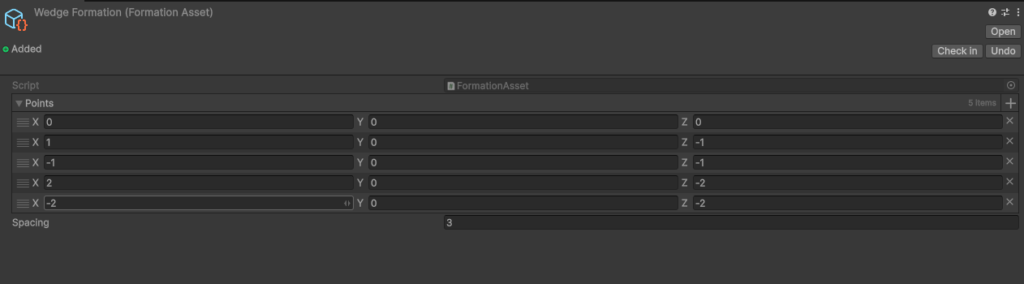
First, we need a way to define different formations that a designer can easily create and tweak. ScriptableObjects are perfect for this. They are data containers that live in your project files, not in a scene.
// In file: FormationAsset.cs
using UnityEngine;

[CreateAssetMenu(fileName = "NewFormation", menuName = "Formations/Formation Asset")]
public class FormationAsset : ScriptableObject
{
    [Tooltip("The local-space positions for each slot in the formation. (0,0,0) is the center.")]
    public Vector3[] points;

    [Tooltip("The spacing multiplier between units in the formation.")]
    public float spacing = 3f;
}This gives us a reusable asset in the editor where we can define a shape by just arranging a few points in an array.
2. The Muscle: UnitSpeedController.cs
Each movable unit needs its own component to manage its speed. This script has two jobs: remember its original speed and allow a central controller to temporarily override it for formation moves.
// In file: UnitSpeedController.cs
using UnityEngine;
using UnityEngine.AI;

[RequireComponent(typeof(NavMeshAgent))]
public class UnitSpeedController : MonoBehaviour
{
    private NavMeshAgent agent;
    private float baseSpeed;
    private bool isMovingInFormation = false;

    void Awake() {
        agent = GetComponent<NavMeshAgent>();
        baseSpeed = agent.speed;
    }

    void Update() {
        // When we arrive at our destination, reset our speed.
        if (isMovingInFormation) {
            if (!agent.pathPending && agent.remainingDistance <= agent.stoppingDistance) {
                ResetSpeed();
            }
        }
    }

    public void SetFormationSpeed(float newSpeed) {
        agent.speed = newSpeed;
        isMovingInFormation = true;
    }

    public void ResetSpeed() {
        agent.speed = baseSpeed;
        isMovingInFormation = false;
    }
}The key here is that the unit itself is responsible for resetting its own speed upon arrival. This keeps our main controller from having to micro-manage every unit for the entire duration of the move. The !agent.pathPending check is crucial to avoid resetting speed prematurely before a path has even been calculated.
3. The Brain: FormationController.cs
This is where the magic happens. This singleton controller takes a list of units and a destination and orchestrates the entire maneuver.
Let’s look at the core method, MoveGroupInFormation.
// In file: FormationController.cs

// ... (variables and other methods) ...

public void MoveGroupInFormation(List<Movable> units, Vector3 destination) {
    if (units.Count <= 1 || currentFormation == null) {
        // Handle simple cases first
        MoveGroupToSinglePoint(units, destination);
        return;
    }

    // Determine the formation's orientation
    Vector3 groupCenter = GetGroupCenter(units);
    Vector3 direction = (destination - groupCenter).normalized;
    Quaternion formationRotation = Quaternion.LookRotation(direction);

    // --- The Core Logic ---

    // Step 1: Calculate the path for every unit to its formation slot
    var pathData = new List<(UnitSpeedController controller, Vector3 targetPos, float pathLength)>();
    float maxPathLength = 0f;

    for (int i = 0; i < units.Count; i++) {
        // ... (error checking) ...

        int formationIndex = i % currentFormation.points.Length;
        Vector3 offset = currentFormation.points[formationIndex] * currentFormation.spacing;
        Vector3 rotatedOffset = formationRotation * offset;
        Vector3 targetPos = destination + rotatedOffset;

        // CRITICAL: Calculate the ACTUAL path length using the NavMesh
        var path = new NavMeshPath();
        if (NavMesh.CalculatePath(agent.transform.position, targetPos, NavMesh.AllAreas, path)) {
            float length = GetPathLength(path); // A helper method to sum path.corners
            pathData.Add((speedController, targetPos, length));
            if (length > maxPathLength) {
                maxPathLength = length;
            }
        }
    }

    // Step 2: Calculate the time everyone needs to arrive together.
    // Based on the longest path at a consistent speed.
    float baseSpeedForCalc = 5f; // A reasonable default
    float timeToArrive = maxPathLength / baseSpeedForCalc;

    // Step 3: Set each unit's destination and calculated speed.
    foreach (var data in pathData) {
        float requiredSpeed = (timeToArrive > 0) ? data.pathLength / timeToArrive : 0;

        // Clamp the speed to keep movement looking natural
        float agentBaseSpeed = data.controller.GetComponent<NavMeshAgent>().speed;
        float clampedSpeed = Mathf.Clamp(requiredSpeed,
                                          agentBaseSpeed * minFormationSpeedMultiplier,
                                          agentBaseSpeed * maxCatchUpSpeedMultiplier);

        data.controller.SetFormationSpeed(clampedSpeed);
        data.controller.GetComponent<NavMeshAgent>().SetDestination(data.targetPos);
    }
}Why This Works
The most important line in that logic is NavMesh.CalculatePath(). We are not using a simple Vector3.Distance() check. We are asking the NavMesh system, “How far does this specific unit actually have to travel to get around walls and obstacles to its target slot?”
By finding the longest of these real paths (maxPathLength), we determine our timeToArrive. Then, for every unit, we calculate the requiredSpeed by dividing its individual path length by that universal arrival time.
The result? The unit with the longest path moves at the baseline speed. Every other unit moves at a proportionally slower speed so that they all complete their journey in the exact same amount of time. They arrive in formation, looking like a trained and coordinated fleet.
Final Touches
- Clamping: Notice the Mathf.Clamp call. This is an important touch for game feel. It prevents units at the front from crawling at an absurdly slow pace or units at the back from rocketing forward unnaturally fast. It keeps the entire group’s speed within a believable range.
- Marker Component: The List<Movable> is a simple marker component (public class Movable : MonoBehaviour {}) that also uses [RequireComponent(typeof(UnitSpeedController))] to ensure any “Movable” object automatically gets the scripts it needs.
This system has been a game-changer for Antara. It elevates unit control from a simple “go here” command to a genuine tactical maneuver. Feel free to adapt this logic for your own projects!
Final result